
Concepts
Droppable
Create droppable targets for draggable elements.
Usage
The Droppable class creates drop targets that can receive draggable elements. First, create a DragDropManager instance:
import {Droppable, DragDropManager} from '@dnd-kit/dom';

const manager = new DragDropManager();

const element = document.createElement('div');
element.classList.add('droppable');

// Create a droppable target
const droppable = new Droppable({
  id: 'drop-zone',
  element,
}, manager);

document.body.appendChild(element);

// Listen for drop events
manager.monitor.addEventListener('dragend', (event) => {
  if (event.operation.target?.id === droppable.id) {
    console.log('Item dropped!', event.operation.source);
  }
});
Accepting Specific Types
You can restrict which draggable elements can be dropped by using the accepts property. See the draggable types documentation for more details.
// Accept only draggables with type 'item'
const droppable = new Droppable({
  id: 'drop-zone',
  element,
  accepts: 'item'
}, manager);

// Accept multiple types
const droppable = new Droppable({
  id: 'drop-zone',
  element,
  accepts: ['item', 'card']
}, manager);

// Use a function for custom logic
const droppable = new Droppable({
  id: 'drop-zone',
  element,
  accepts: (draggable) => {
    // Custom acceptance logic
    return draggable.type === 'item' && draggable.data.category === 'fruit';
  }
}, manager);
Collision Detection
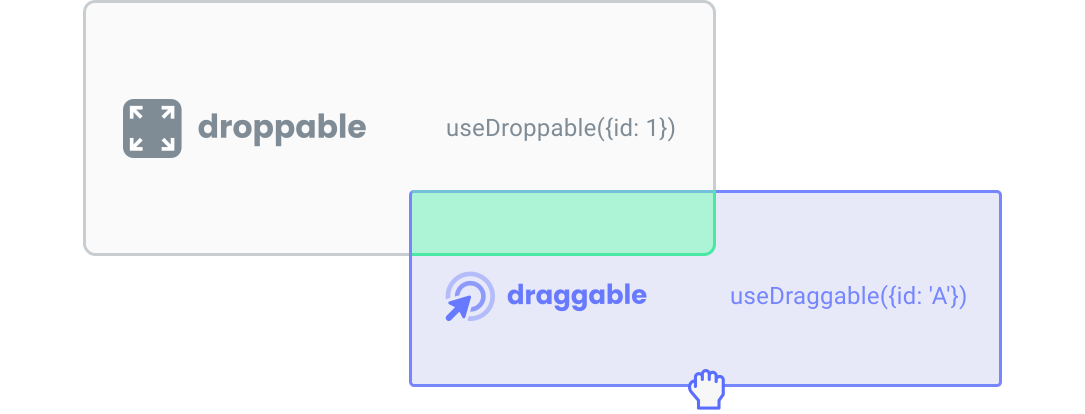
By default, the Droppable class uses rectangle intersection to detect when draggable elements are over the drop target:
You can customize this behavior with different collision detection algorithms:
import {
  closestCenter,
  pointerIntersection,
  directionBiased
} from '@dnd-kit/collision';

// Use closest center point for card stacking
const droppable = new Droppable({
  id: 'card-stack',
  element,
  collisionDetector: closestCenter
}, manager);
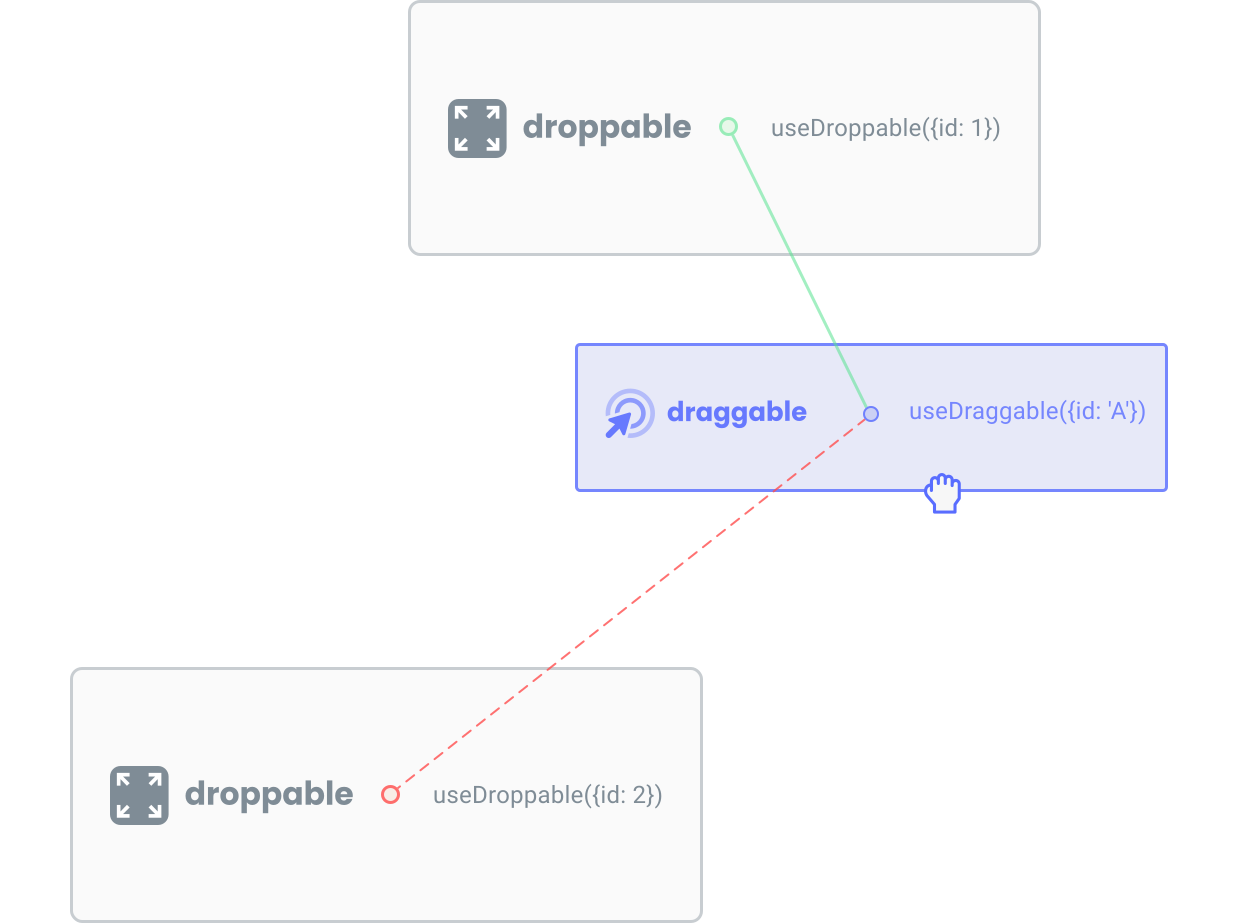
For example, the closestCenter detector will detect collisions based on the distance between the center points, which is ideal for card stacking:
Collision Priority
When multiple droppable targets overlap, you can set priority to determine which one should receive the drop. This is particularly useful for nested containers:
const container = new Droppable({
  id: 'container',
  element: containerElement,
  collisionPriority: 1 // Lower priority
}, manager);

const item = new Droppable({
  id: 'item',
  element: itemElement,
  collisionPriority: 2 // Higher priority
}, manager);
API Reference
Arguments
The Droppable class accepts the following arguments:
A unique identifier for this droppable target within the same drag and drop context provider.
The DOM element to make droppable. While not required in the constructor, it must be set to enable dropping.
Specify which draggable elements can be dropped on this target. See accepting specific types for more details.
A function to determine when draggable elements are over this target. See collision detection for built-in options, such as:
shapeIntersection: Default, uses rectangle intersectionpointerIntersection: Uses pointer position for precise detectionclosestCenter: Uses center point distance, ideal for card stackingdirectionBiased: Considers drag direction, useful for sortable lists
Priority level when multiple droppable targets overlap. Higher numbers take precedence. See collision priority for more details.
Set to true to temporarily prevent dropping on this target.
Optional data to associate with this droppable target, available in event handlers.
destroy() method of this instance.Properties
The Droppable instance provides these key properties:
id: The unique identifierelement: The DOM element acting as the drop targetdisabled: Whether dropping is currently disabledisDropTarget: Whether a draggable is currently over this targetshape: The current bounding shape of the drop target
Methods
accepts(draggable): Check if this target accepts a draggable elementrefreshShape(): Recalculate the target’s dimensionsregister(): Register this target with the managerunregister(): Remove this target from the managerdestroy(): Clean up this droppable instance and remove all listeners