Guides
Collision detection
Customize how draggable elements detect collisions with droppable targets in React. Includes closestCenter, closestCorners, pointerIntersection, and custom detectors.
Overview
When you drag something over a droppable target, dnd kit runs a collision detection algorithm to decide which target is currently being hovered. The default works well for most lists, but you can customize it per droppable when you need different behavior — for example, card stacks, grids, or nested containers.
Built-in detectors are exported from the @dnd-kit/collision package. You don’t need to install it explicitly — it’s already a transitive dependency of @dnd-kit/react.
Built-in detectors
All built-in detectors are exported from @dnd-kit/collision. If you don’t pass a collisionDetector, dnd kit uses defaultCollisionDetection automatically — you only need this guide when you want to override it.
defaultCollisionDetection
The default. Runs pointerIntersection first, and falls back to shapeIntersection when the pointer isn’t inside any droppable.
pointerIntersection
High precision — a collision is only detected when the pointer is inside the droppable’s bounding rectangle. Good for precise drop zones where you want the user to clearly be “over” a target.
shapeIntersection
Returns the droppable with the greatest overlap area with the dragged element’s shape. Good for large containers where any visual overlap should count as a collision. Ties are broken by distance to the pointer.
closestCenter
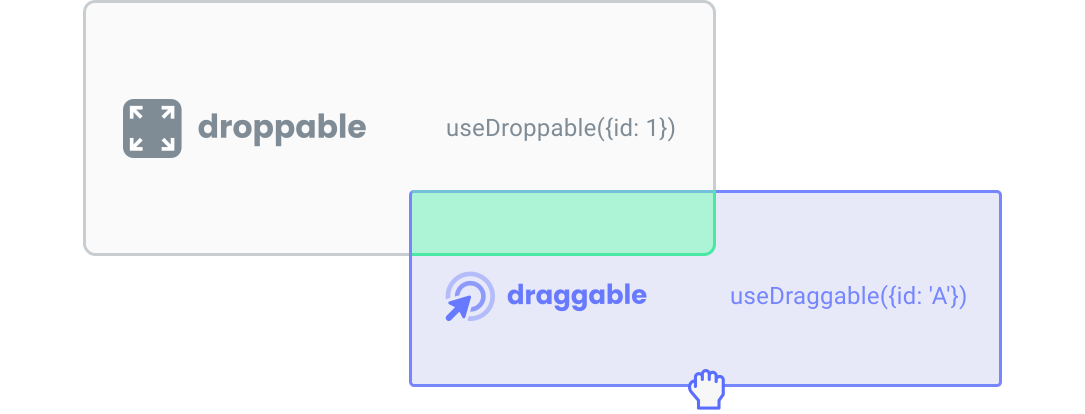
Picks the droppable whose center point is closest to the dragged element’s center. Ideal for card stacking or grids where items snap to the nearest slot.
closestCorners
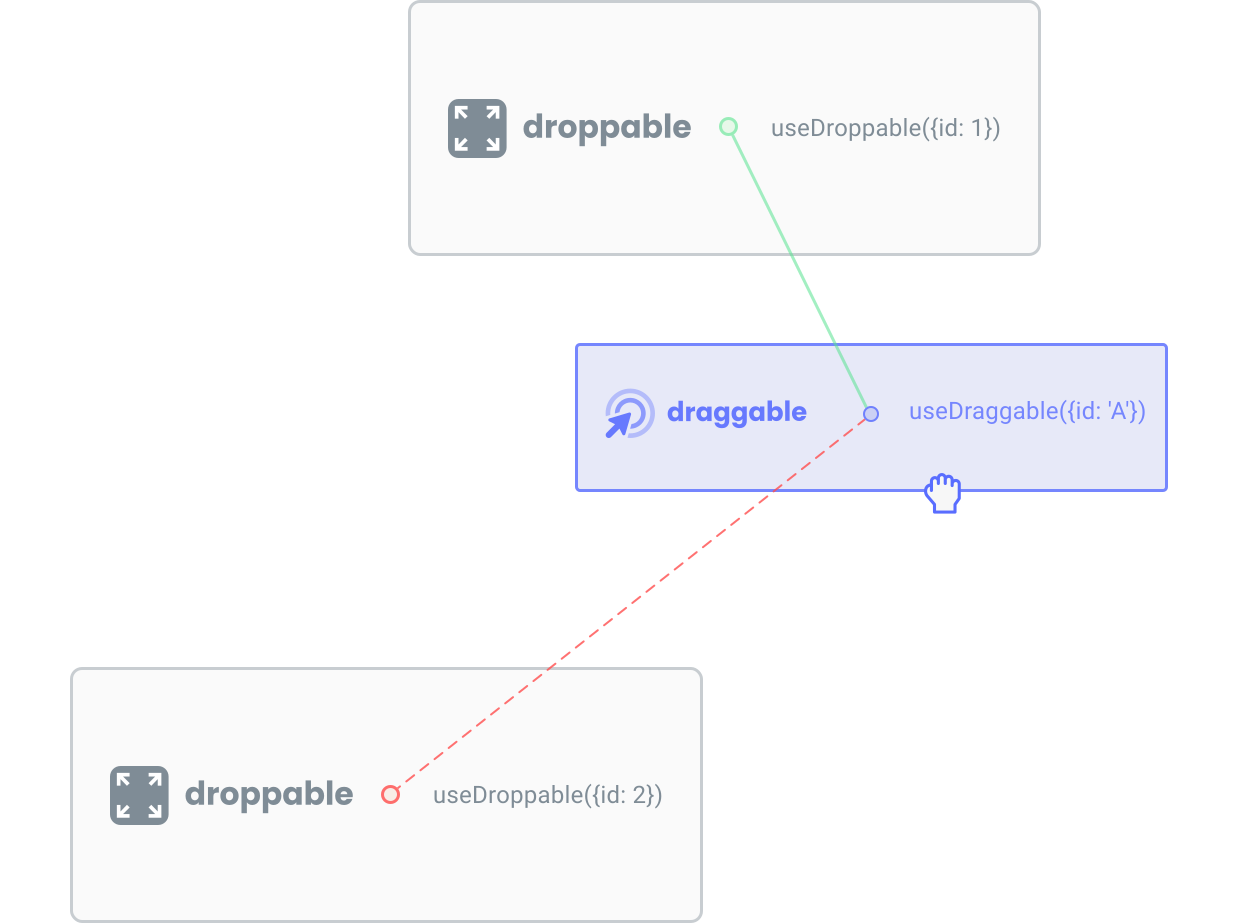
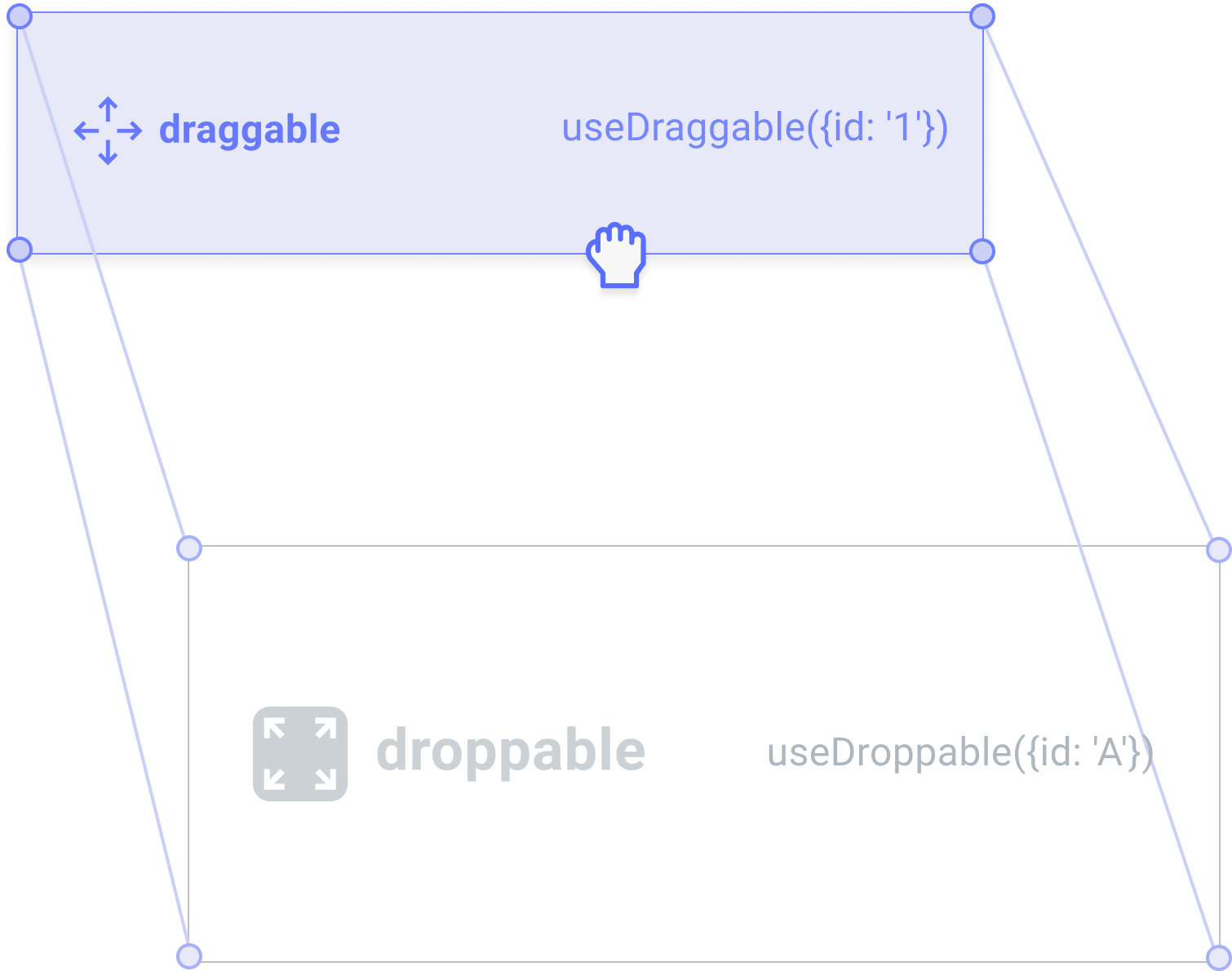
Picks the droppable with the smallest average corner-to-corner distance. More forgiving than closestCenter at the edges of a list — useful for vertical sortable lists where you want items to pick up a neighbor as soon as the corners approach.
pointerDistance
Returns the droppable whose center is closest to the pointer coordinates (not the dragged element). Useful when you want drop detection to follow the cursor rather than the dragged element.
directionBiased
Only detects collisions in the direction the user is dragging (up, down, left, right). Useful when you want items to only be swapped when the user drags toward them — prevents jitter when hovering near the edge between two targets.
Configuring a detector
The collisionDetector option is set per droppable. Pass any built-in detector (or a custom one) to useDroppable or useSortable:
import {useDroppable} from '@dnd-kit/react';
import {closestCenter} from '@dnd-kit/collision';

function DropTarget({id}) {
  const {ref, isDropTarget} = useDroppable({
    id,
    collisionDetector: closestCenter,
  });

  return <div ref={ref}>{isDropTarget ? 'Drop here' : 'Empty'}</div>;
}
The same option works on useSortable:
import {useSortable} from '@dnd-kit/react/sortable';
import {closestCorners} from '@dnd-kit/collision';

function SortableItem({id, index}) {
  const sortable = useSortable({
    id,
    index,
    collisionDetector: closestCorners,
  });

  return <div ref={sortable.ref}>Item {id}</div>;
}
Because collisionDetector is configured per droppable rather than globally, different targets on the same page can use different algorithms. For example, a free-form canvas area might use pointerIntersection while a sortable list next to it uses closestCenter.
Collision priority
When multiple droppables overlap — for example, a sortable card inside a droppable column — you can bias which one “wins” using collisionPriority. Higher values take precedence.
import {useDroppable} from '@dnd-kit/react';
import {CollisionPriority} from '@dnd-kit/abstract';

function Column({id, children}) {
  const {ref} = useDroppable({
    id,
    collisionPriority: CollisionPriority.Low, // Cards inside will win by default
  });

  return <div ref={ref}>{children}</div>;
}
The CollisionPriority enum is exported from @dnd-kit/abstract and provides named levels: Lowest, Low, Normal, High, Highest. You can also pass a plain number.
Writing a custom detector
A collision detector is a function that receives the drag operation and a droppable, and returns a collision (or null if there’s no collision). The return value is a score — higher scores win when multiple droppables collide.
import type {CollisionDetector} from '@dnd-kit/abstract';
import {CollisionPriority, CollisionType} from '@dnd-kit/abstract';

const myDetector: CollisionDetector = ({dragOperation, droppable}) => {
  if (!droppable.shape) return null;

  // Your logic here — return null for no collision, or an object:
  return {
    id: droppable.id,
    value: 1, // Higher values win
    type: CollisionType.Collision,
    priority: CollisionPriority.Normal,
  };
};
Pass it to any droppable:
useDroppable({id, collisionDetector: myDetector});For reference implementations, read the source of the built-in detectors in @dnd-kit/collision.
If you’re coming from @dnd-kit/core, see the Migration guide for legacy API mappings.